
The product
How the Product Works
Seven steps from a client's county of residence to a clear, side-by-side comparison. Every screen below is the real product, showing clearly marked demo data.
The process
Seven steps. One clear comparison.
Select a step — or simply scroll — to see the product at that exact moment.
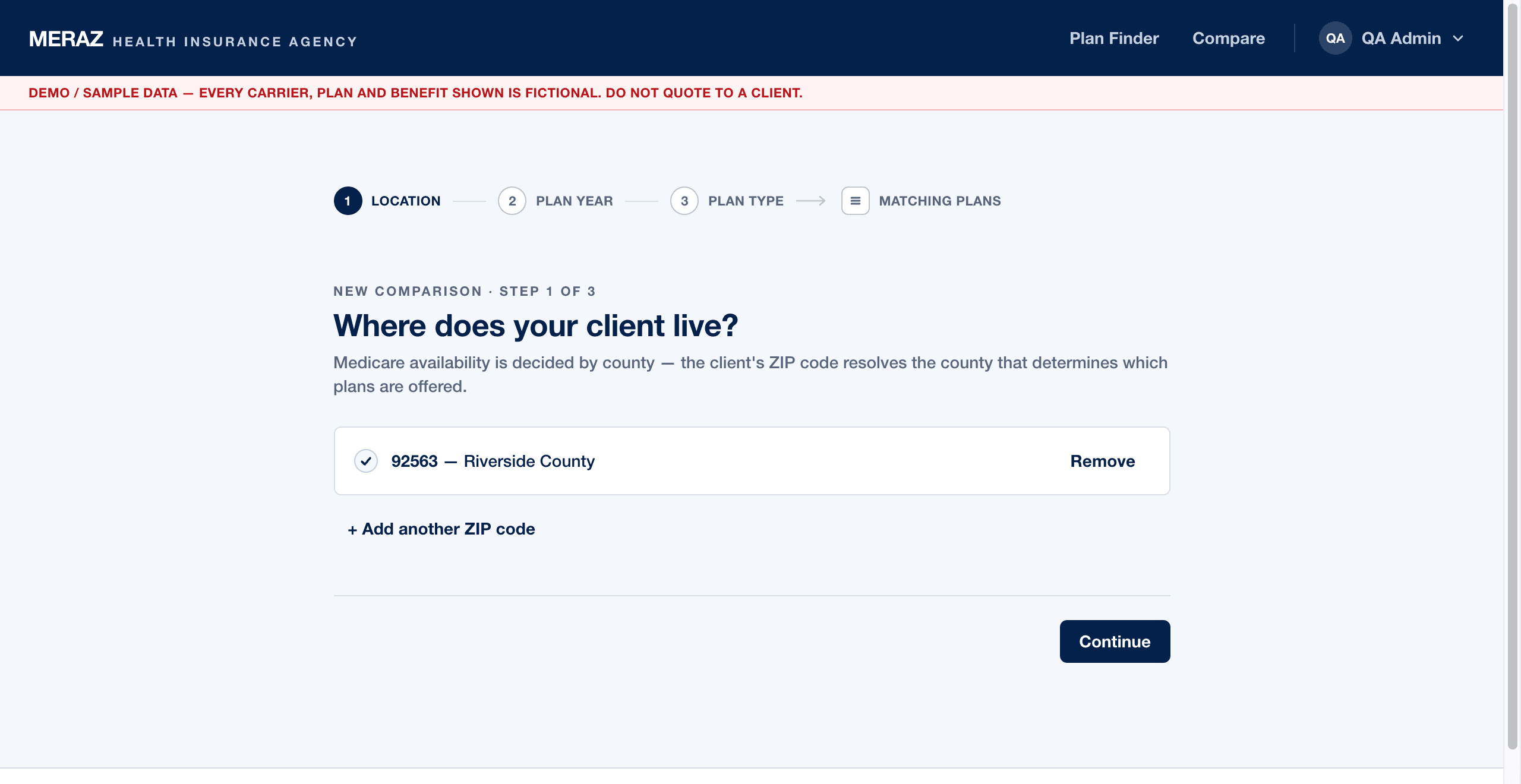
Start from the client's county of residence. Medicare availability is county-based, so the tool lists the six counties it serves and you choose one — never behind your back.
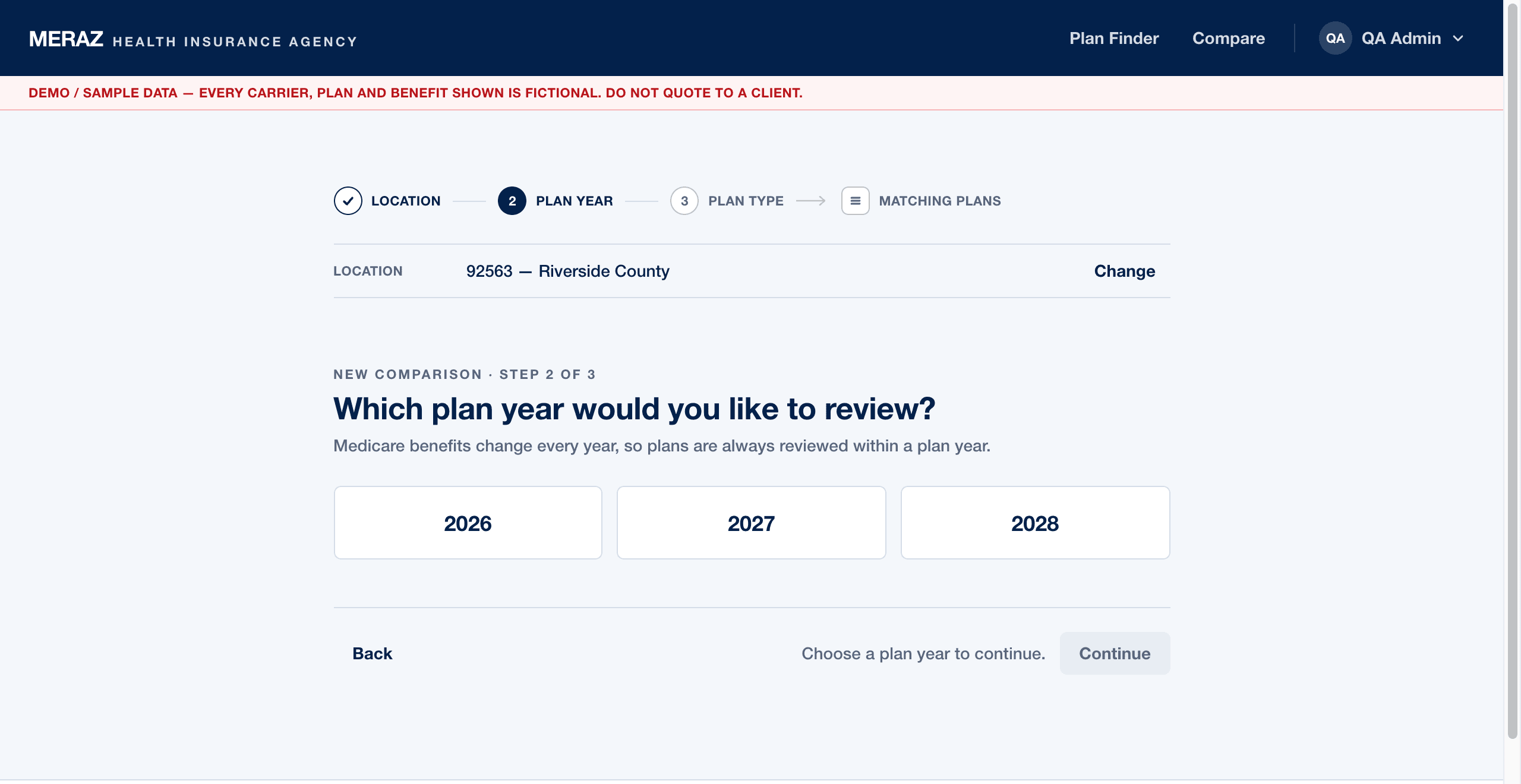
Pick the plan year to review. During enrollment season you can intentionally add a second year to put this year's plan beside next year's.
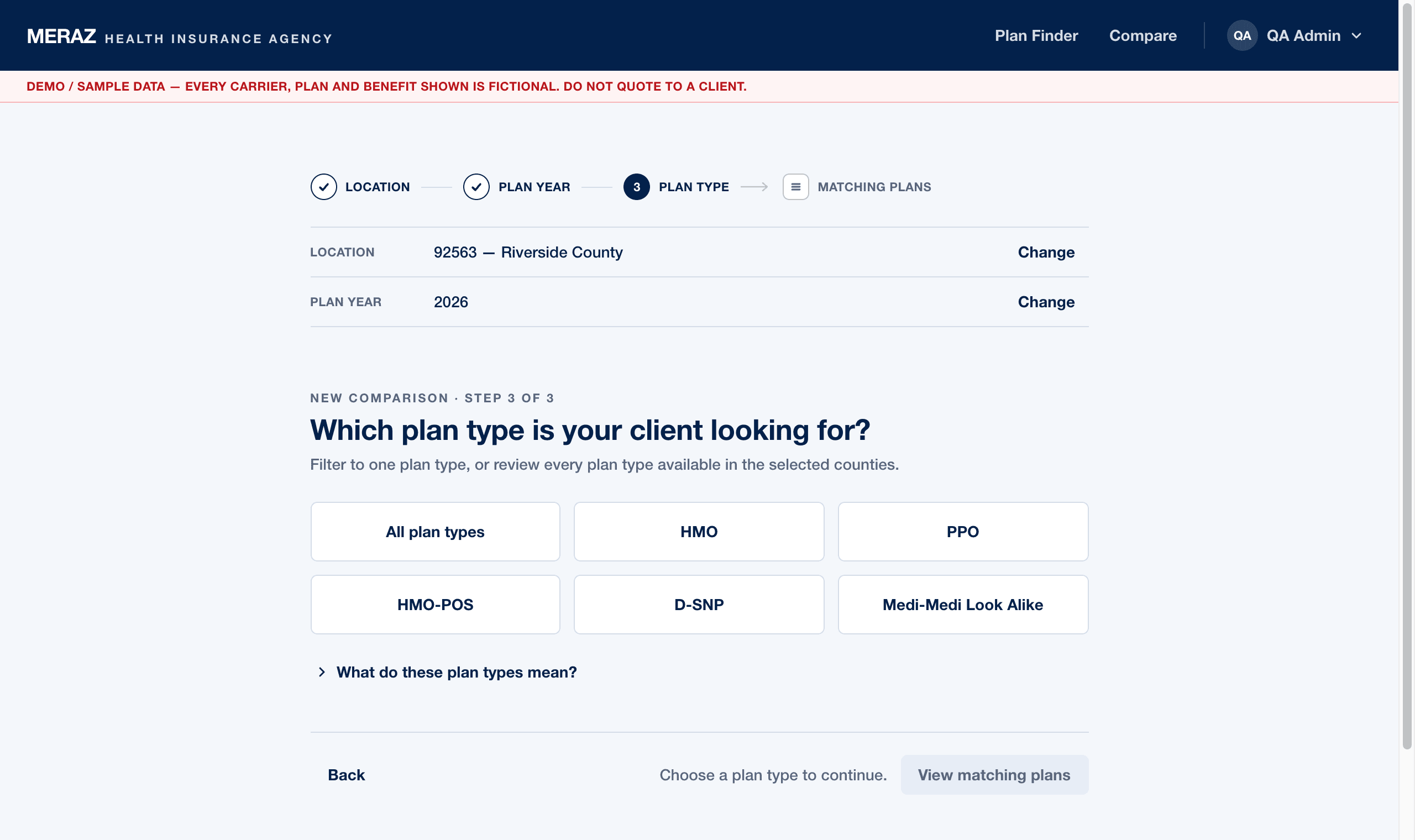
HMO, PPO, HMO-POS, D-SNP and more — or leave the type open and review every plan type at once.
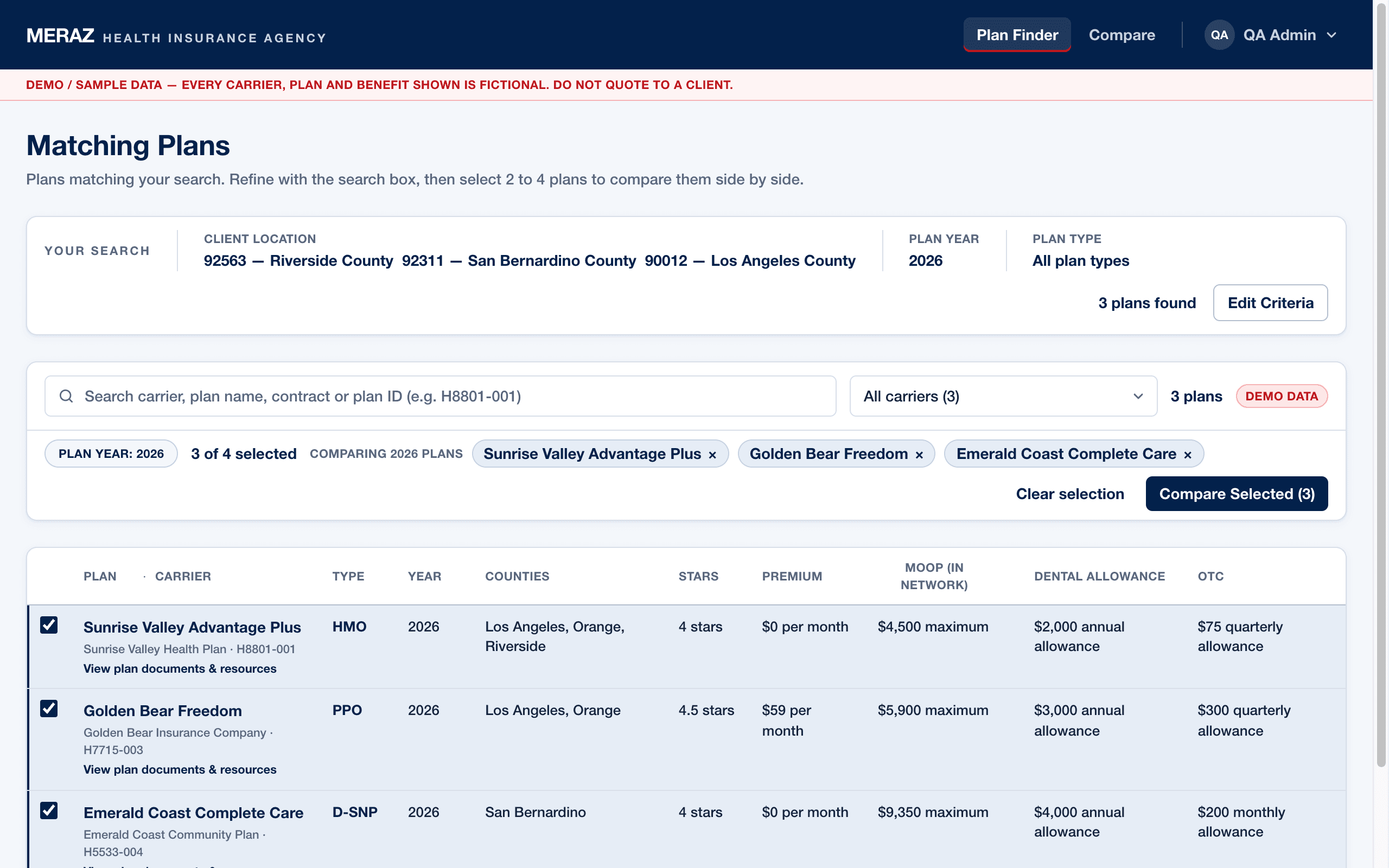
The tool shows only the plans available for that county, year and type, with the criteria always visible so you know exactly what you are looking at.
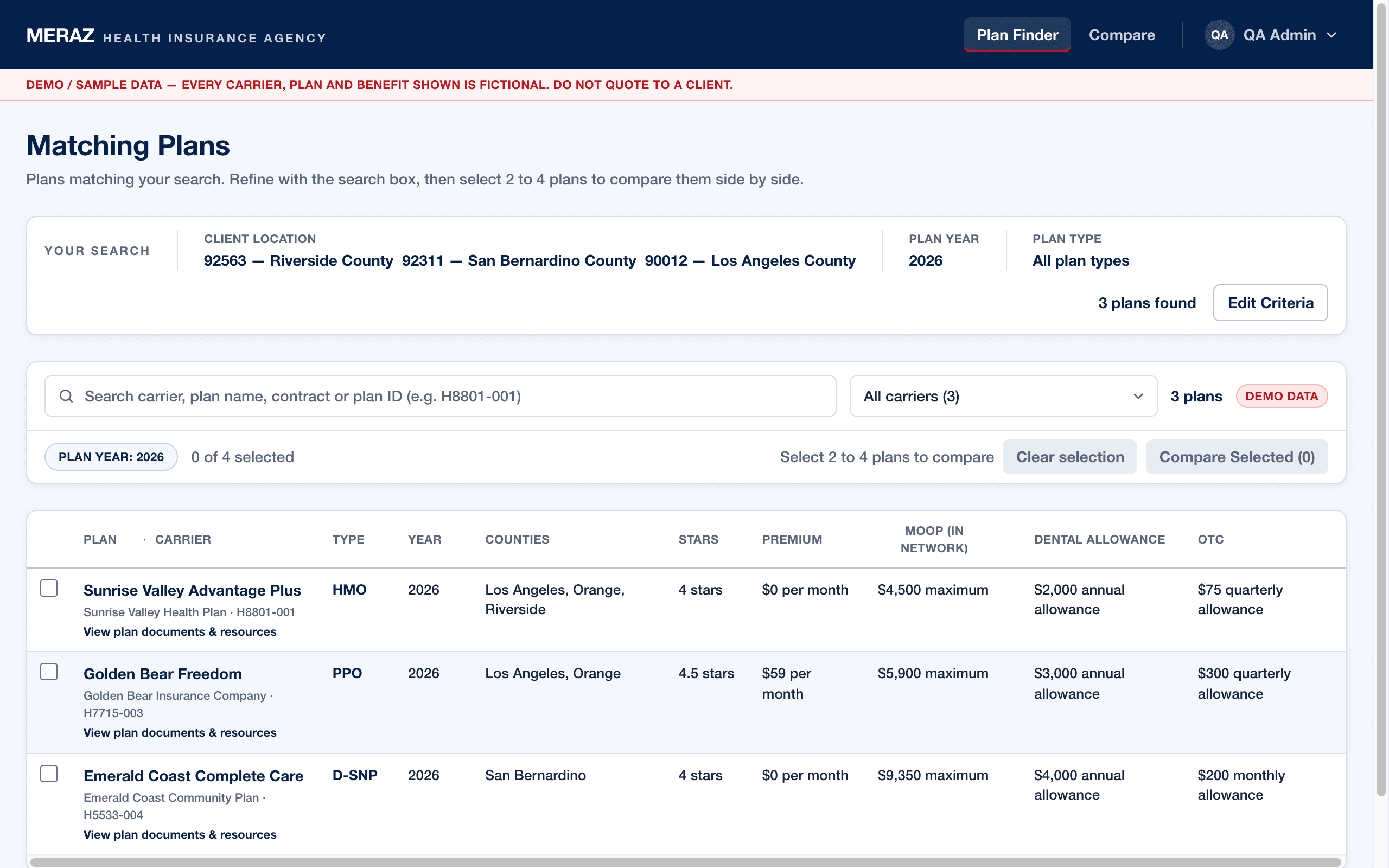
Search within the matches by carrier, plan name or contract ID, and explicitly pick the two to four plans worth putting side by side.
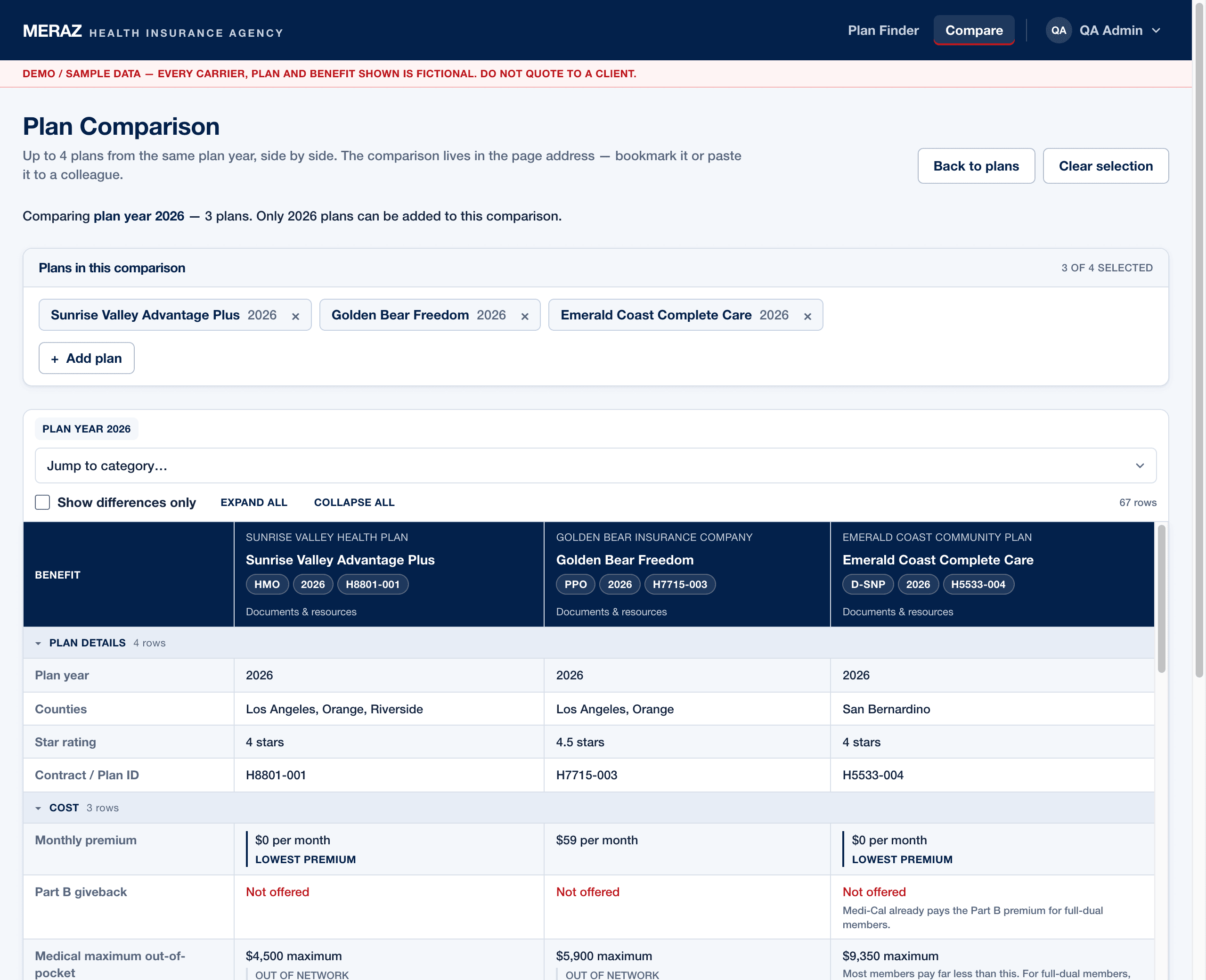
A dense side-by-side grid of every benefit, category by category, with differences easy to isolate and objective cost facts quietly highlighted.
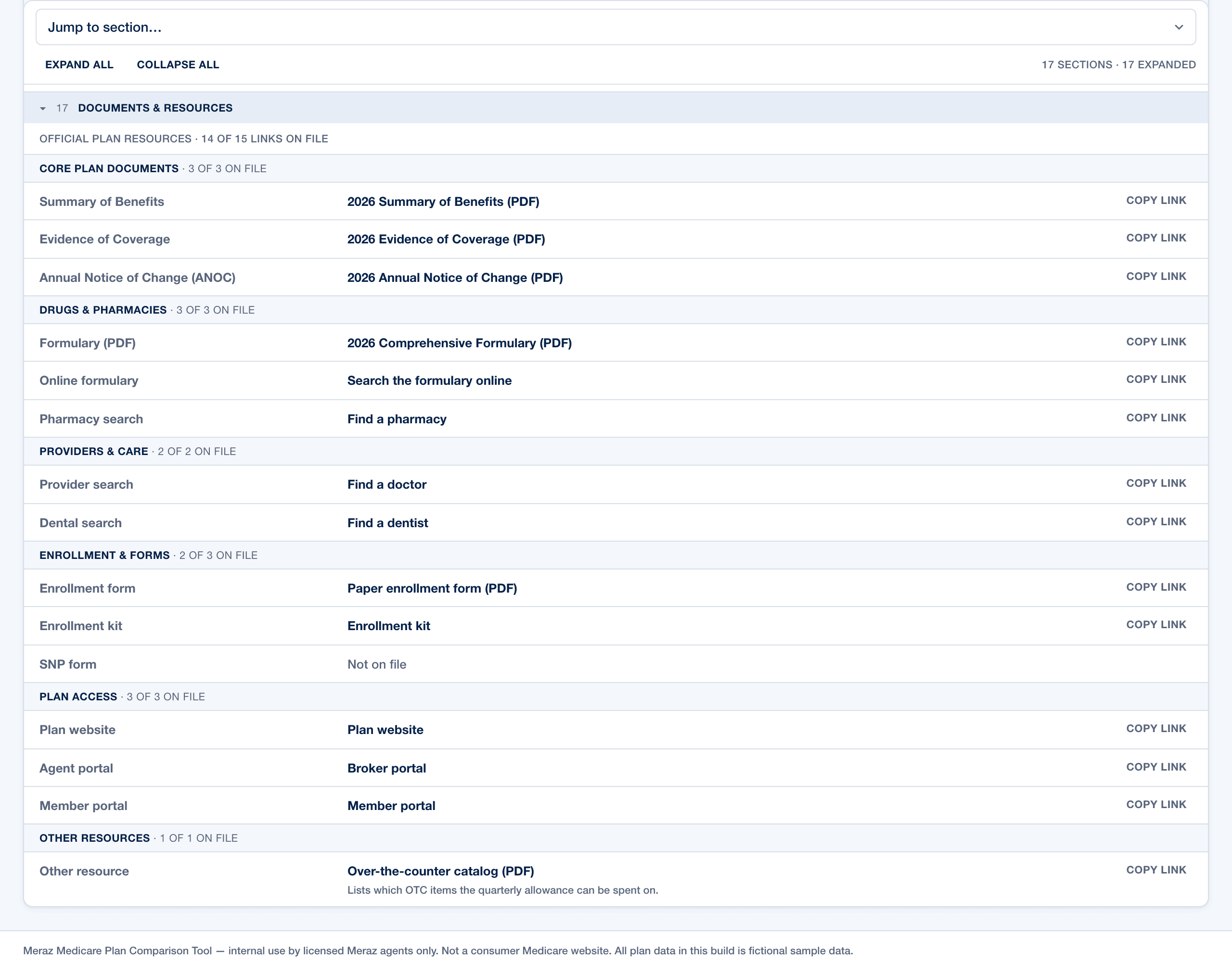
Open any plan in full — every benefit category, plus direct access to the plan's official documents, so the source is always one click away.
Where it leads
Less time researching. More time with the client.
The tool organizes the plan information; the agent gives the advice. The best way to understand the product is to watch it in a live conversation with the Meraz team.